Our Mission

Our mission is to help learners read C++ code more carefully, understand the role of each block, and gradually build technical thinking through structured explanations, examples, and practice tasks.

  • John Bryan

    John Bryan

    C++ Logic Developer

    John specializes in conditions,

    loops, and code execution logic.

    He likes dividing examples into

    steps so learners can see how data

    changes while a program runs.

    His materials often focus on r

    eading code from top to bottom.

  • Andrew Frost

    Andrew Frost

    C++ Structure Engineer

    Andrew works with structures,

    fields, and data records.

    He explains how several related

    values can describe one entity

    in code. His examples help

    clarify how data is grouped

    and used inside a program.

  • Haley Henry

    Haley Henry

    C++ Practice Task Creator

    Haley creates learning tasks

    for variables, loops, arrays,

    structures, and classes.

    She shapes exercises so each task

    has a clear topic and logical order

    of actions. Her tasks are suitable

    for independent study.

Get Free materials

The no-cost Bytrionly starter set is created as a first look at our C++ programming materials. It helps you review the explanation style, code examples, topic order, and self-paced study format. This set is suitable for learners who want to calmly explore basic topics before choosing a wider course. Click Get Free to receive the starter materials for review.

30-days refund guarantee

Try the course risk-free. If you're not satisfied for any reason, get a full refund. No questions asked. Refund requests may be submitted within 30 days in accordance with our Refund Policy.

  • Laptop displaying a 'Delta Pack' graphic on a white background
  • Smartphone displaying an app interface on a white background
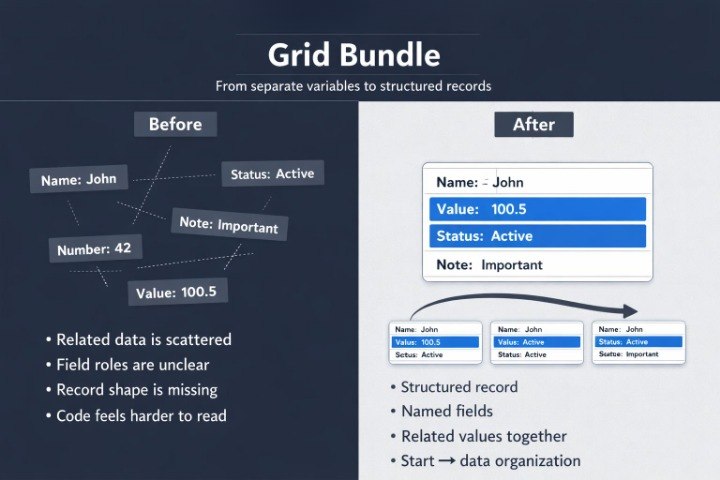
  • Tablet displaying a 'Grid Bundle' on a white background
  • Stan Salazar

    Stan Salazar

    Stan came to Bytrionly after several attempts to study

    C++ syntax, variables, and conditions on his own.

    He found it useful that the materials did not jump between

    topics, but explained code as a sequence of actions: from

    the first value to a check and then to the result.


    “I liked that each code fragment was explained as

    a small path, not just shown as a finished example.”

  • Juliette Hays

    Juliette Hays

    Juliette started using Bytrionly materials because she

    wanted to better understand strings, arrays, and data

    structures without dense explanations.

    She found the diagrams, index examples, and step-by-step

    reviews of data movement especially useful.


    “The examples made it easier to follow the data

    instead of guessing what the code was doing.”

Preview Courses

Explore the Bytrionly course directions to see how the C++ programming learning line is organized. Each tier has its own focus: from basic syntax and conditions to functions, arrays, structures, classes, and connected examples. The preview helps you review the topics, material format, and learning sequence before choosing a course. Click Preview Courses to view the course collection and choose the direction that matches your current study stage.

  • Black circle with a white 'M' in the center
  • GitHub logo with a white cat silhouette inside a black circle on a white background
  • LinkedIn logo

How We Began

Bytrionly began with a simple idea: to make C++ programming materials more organized, calm, and suitable for independent study. We noticed that many learners see code as a set of separate commands, so we created a course where topics connect step by step — from basic syntax to wider examples with data, functions, and classes.

  • Blue icon of a network or system diagram on a white background

    Clear Structure

    Each topic has its place

    in the learning path,

    helping learners see

    the connection

    between syntax, logic,

    and data.

  • Icon of a digital interface with text and arrows on a white background

    Code Reading

    The materials teach not

    only how to write lines,

    but also how to

    understand what

    happens inside an

    example.

  • Icon of a magnifying glass inspecting a list on a white background

    Practice Tasks

    Short tasks

    help learners

    review topics

    through

    independent

    code work.

  • Icon of a computer window with text and arrows on a white background

    Offline Study

    The PDF materials

    can be downloaded

    and studied at a

    self-paced rhythm without staying

    online.